Laptops have become an essential part of modern life, enabling work, education, entertainment, and creativity. However, not all laptops are designed for the same purpose. While standard laptops are suitable for everyday tasks like browsing, office work, and online learning, gaming laptops are built to handle graphics-intensive games and demanding workloads. If you're looking for the best gaming laptop, understanding the key features, performance, and specifications will help you choose the right model for your needs and budget.
Team ProductLine
Laptops have become an essential part of modern life, enabling work, education, entertainment, and creativity. However, not all laptops are designed for the same purpose. While everyday laptops are ideal for routine tasks, gaming laptops are engineered for superior performance with powerful CPUs, dedicated GPUs, fast SSD storage, and high-refresh-rate displays. The best gaming laptops deliver smooth gameplay while also excelling in video editing, 3D rendering, programming, streaming, and multitasking. If you're looking for the best gaming laptop, understanding the key features, performance, and specifications will help you choose the right model for your needs and budget. At Reliance Digital, you can explore a wide range of laptops, from budget-friendly everyday models to high-performance gaming laptops, designed to suit different needs, preferences, and budgets.
How to Choose the Best Gaming Laptop
Choose the Right Graphics Card (GPU): A dedicated GPU is the most important component for smooth gameplay and high frame rates.
Pick a Powerful Processor (CPU): Select the latest Intel Core or AMD Ryzen processor to ensure fast performance and seamless multitasking.
Look for Adequate RAM: At least 16 GB of RAM is recommended for modern games and efficient multitasking.
Opt for Fast SSD Storage: An NVMe SSD speeds up boot times, game loading, and overall system responsiveness.
Select the Right Display: Choose a Full HD or QHD display with vibrant colours and sharp visuals for an immersive gaming experience.
Check the Refresh Rate: A 144Hz or higher refresh rate delivers smoother gameplay, especially in fast-paced competitive games.
Evaluate the Cooling System: Efficient cooling prevents overheating and helps maintain consistent gaming performance during long sessions.
Consider Battery Life: While gaming drains power quickly, a larger battery offers better portability for everyday use.
Assess Build Quality: A durable chassis and sturdy hinges ensure your gaming laptop can withstand regular use.
Choose a Comfortable Keyboard: Look for a responsive keyboard with RGB backlighting for comfortable and accurate gaming.
Verify Connectivity Options: Ensure the laptop includes enough USB ports, HDMI, Ethernet, Wi-Fi 6/6E, and Bluetooth for your gaming setup.
Check Upgradeability: Models with upgradeable RAM and storage provide better long-term value and future-proofing.
Set Your Budget: Compare features and performance within your budget to find the best gaming laptop without overspending.
Read User Reviews: Customer reviews and expert opinions can help you understand real-world gaming performance and reliability before buying.
Common Mistakes to Avoid When Buying a Gaming Laptop
Prioritising CPU Over GPU: The graphics card has the biggest impact on gaming performance, so don't overlook it.
Buying with only 8GB RAM: Modern games run better with at least 16GB RAM for smoother gameplay and multitasking.
Ignoring the Display Refresh Rate: A 144Hz or higher display provides a noticeably smoother gaming experience than a standard 60Hz screen.
Choosing Insufficient Storage: A 512GB or larger SSD gives you enough space for games while ensuring fast load times.
Overlooking the Cooling System: Poor cooling can cause overheating and reduce gaming performance during long sessions.
Ignoring GPU Power (TGP): Two laptops with the same GPU can perform differently depending on their Total Graphics Power (TGP).
Not Checking Upgrade Options: Upgradeable RAM and storage help extend your laptop's lifespan and improve future performance.
Buying Based on Looks Alone: RGB lighting and sleek designs are attractive, but hardware specifications matter more.
Ignoring Battery Expectations: Gaming laptops are designed for performance, so expect shorter battery life during intensive gaming.
Not Comparing Features and Prices: Comparing multiple models helps you find the best gaming laptop with the right balance of performance, features, and value.
Click here to explore more electronics and laptops on Reliance Digital
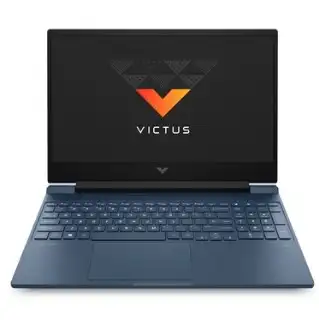
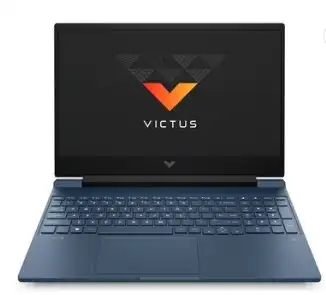
1. HP Victus 15 15-fb3125AX Gaming Laptop
Team ProductLine
HP Victus 15 15-fb3125AX Gaming Laptop
BUY NOW
The HP Victus 15 (15-fb3125AX) is a powerful mid-range gaming laptop designed for gamers, students, and content creators. Equipped with an AMD Ryzen 7 7445HS processor, NVIDIA GeForce RTX 3050 graphics, 16GB DDR5 RAM, and a 144Hz Full HD display, it delivers smooth gameplay, fast multitasking, and reliable everyday performance. With Windows 11 Home, Microsoft Office Home 2024, and modern connectivity options, it is an excellent choice for both gaming and productivity. Specifications
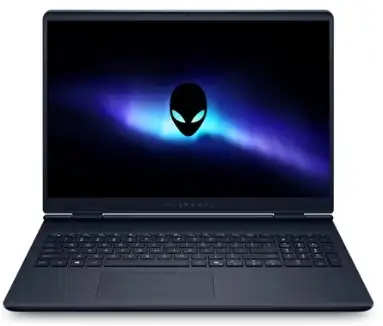
The Dell Alienware 16 Aurora AC is a premium gaming laptop built for gamers and power users who demand exceptional performance. Featuring the Intel Core 7 240H processor, NVIDIA GeForce RTX 5060 8GB GDDR7 graphics, 16GB DDR5 RAM, and a spacious 1TB SSD, it delivers outstanding gaming performance and effortless multitasking. Its large 16.5-inch high-resolution display, premium Alienware design, and Windows 11 with Microsoft Office make it ideal for gaming, content creation, and professional workloads. Specifications
Processor: Intel Core 7 240H (10 Cores, Up to 5.2GHz)
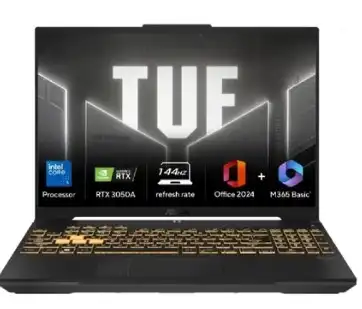
3. Asus TUF Gaming F16 FX607VB-RL087WS Gaming Laptop
Team ProductLine
Asus TUF Gaming F16 FX607VB-RL087WS Gaming Laptop
BUY NOW
The Asus TUF Gaming F16 FX607VB-RL087WS is a solid, high-performing gaming laptop targeted at gamers, students, and creators alike. The laptop is well suited for running games due to the performance of its processor, which includes an Intel Core i5 2140H, video card and RAM, in addition to the 16-inch FHD+ display; it has proven itself to deliver good gaming performance as well as for day-to-day tasks requiring lots of multitasking. The TUF gaming laptop has been built to meet stringent military standards; some additional characteristics of this laptop include improved cooling, intense sound quality, non-proprietary hardware, and many other features that will lead to a very reliable system to continue using for daily gaming and working. Specifications
Processor: Intel Core 5 210H (8 Cores, 12 Threads, Up to 4.8GHz)
The HP Victus 15 is a robust mid-range gaming notebook, featuring Intel's new Core 5 210H processor and NVIDIA GeForce RTX 4050 GPU for top-tier Full HD gaming efficiency. The device has a high level of RAM (16GB) and storage capacity (a 512GB PCIe NVMe SSD) and features a 144Hz anti-glare display, resulting in very fluid gaming motion and extraordinarily quick operations on multiple applications simultaneously, producing an impression of unfaltering dependability over time. This laptop also includes Windows 11 Home operating system, Microsoft Office Home 2024 suite and an upgraded 1080p webcam, making it the ideal option for gamers, students and people who create their own video content to share online. Specifications
Processor: Intel Core 5 210H (Up to 4.8GHz, 8 Cores)
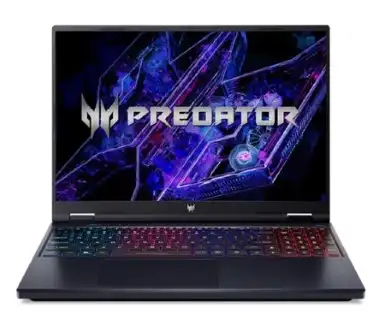
The Acer Predator Helios Neo 16 PHN16-72 is a high-performance gaming laptop built for gamers, creators, and power users. Featuring the Intel Core i7-14700HX processor, NVIDIA GeForce RTX 4050 graphics, 16GB DDR5 RAM, and a 16-inch WUXGA display, it delivers exceptional gaming performance, smooth multitasking, and fast responsiveness. With upgradeable memory, Windows 11 Home, and Microsoft Office Home & Student 2021, it is an excellent choice for gaming, content creation, and demanding professional workloads. Specifications
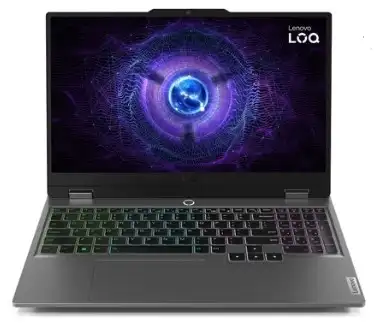
With its hardware specifications designed for gaming, education and business purposes, the Lenovo LOQ 15IAX9 offers an excellent value. You'll have the power of an Intel Core i5-12450HX and NVIDIA GeForce RTX 3050 6GB GPU in order to enjoy smooth Full HD gaming along with good multitasking capabilities. Its 16GB of DDR5 memory, a 512GB SSD, as well as its inclusion of Microsoft Office Home & Student 2024, make it a strong performer for what it's made to do: gaming, content creation, coding, and general productivity. Specifications
Processor: Intel Core i5-12450HX (8 Cores, 12 Threads, Up to 4.4GHz)
Regular maintenance helps keep your gaming laptop running at its best, improves its lifespan, and ensures smooth performance during gaming sessions.
Keep Vents Clean to maintain proper airflow and prevent overheating.
Update GPU Drivers regularly for the latest performance improvements and game optimisations.
Monitor Temperatures to avoid thermal throttling during intensive gaming.
Replace thermal paste as needed to maintain effective heat dissipation.
Optimise Storage by removing unnecessary files and keeping sufficient free space for faster performance.
FAQs related to the best gaming laptops
1. Which gaming laptop is best for AAA games?
Ans. A gaming laptop with an NVIDIA GeForce RTX 4050 or higher GPU, a modern Intel Core or AMD Ryzen processor, 16GB RAM, and a 144Hz display is ideal for smooth AAA gaming.
2. Is 16GB RAM enough for gaming?
Ans. Yes, 16GB RAM is the recommended capacity for modern games, multitasking, and streaming. It provides smooth performance for most gaming and productivity needs.
3. Which processor is better for gaming: Intel or AMD?
Ans. Both Intel Core and AMD Ryzen processors deliver excellent gaming performance. The best choice depends on the laptop's overall configuration, including the GPU, cooling system, and RAM.
4. Is a dedicated graphics card necessary for gaming?
Ans. Yes. A dedicated NVIDIA GeForce RTX or AMD Radeon GPU delivers significantly better gaming performance, higher frame rates, and support for advanced graphics technologies.
5. What refresh rate is best for a gaming laptop?
Ans. A 144Hz or higher refresh rate is recommended for smooth gameplay and reduced motion blur, especially in fast-paced and competitive games.
6. Is a 512GB SSD enough for a gaming laptop?
Ans. A 512GB SSD is suitable for everyday use and a few games, but gamers with larger game libraries may benefit from a 1TB SSD or expandable storage.
The above content is an initiative by Times Internet content team to explain product features and simplify jargons for its users. It should not be construed as an endorsement to buy.
Times Internet may make a very small commission from its sale if one chooses to buy the product from any of the links in this article.


 Team ProductLine
 Team ProductLine
 Team ProductLine
 Team ProductLine
 Team ProductLine
 Team ProductLine
 Team ProductLine