Discover affordable inkjet colour printers if you are a home, student or small business user in need of excellent quality printing at a reasonable price. These printers provide stunning colour, fast performance and a range of useful functions including wireless printing, mobile printing, and a small footprint. This makes them ideal for printing school work, business work, photographs, and other creative projects daily. In this collection, we have listed several of the best affordable inkjet colour printers available today based on their performance, print quality and overall value for money.
Team ProductLine
Inkjet colour printers have become indispensable in many modern homes and workplaces. They provide easy access to high-quality printed products and produce permanent printed materials on virtually any media. With continuing advancements in technology, there are now more affordable, high-quality inkjet printers available than ever before. Many of these newer, budget-friendly models feature advanced features such as wireless connectivity, mobile printing, compact size, and efficient ink use. These budget-friendly printers will allow you to print daily and all of your typical printing requirements, and still have manageable operational costs associated with their use.
If you are a student working on projects for your degree, an employee who needs to print out various documents at work, or if you are a family looking to purchase a reliable printer for infrequent use, selecting the right budget-friendly inkjet colour printer can help you achieve outstanding results. There has never been a better time than now for you to find an excellent-value entry-level inkjet colour printer that has all the basic features required to produce excellent quality prints quickly and easily. The purpose of this article is to identify a selection of the best affordable inkjet colour printers based on performance and good print quality, in addition to providing the best value for the various printing requirements that individuals may have.
List of the best affordable inkjet colour printers
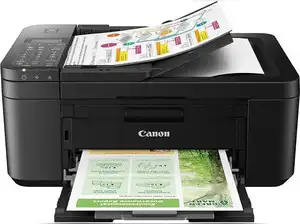
Canon PIXMA E3370 multifunction printer is an economical inkjet printer that provides colour printing at home or in small business environments. This printer has three independent functions: print, scan & copy. It has wireless capabilities, so you can print easily from your mobile device. The Canon PIXMA E3370 printer offers borderless photo printing capability with good print quality and a compact size. Canon PIXMA E3370 inkjet printer is suitable for printing everyday papers, school projects, and printing pictures occasionally. Specifications
Max Print Resolution: 4800 x 1200 dpi
Wireless Support: Yes
Connectivity: WiFi, Hi-Speed USB 2.0
Duplex Print: No
Print Speed Colour: 4 ipm
Print Speed Mono: 7.7 ipm
Scan Area Size: 216 x 297 mm
Pros
Affordable pricing
Wireless printing support
Borderless photo printing
Compact and lightweight design
Good colour print quality
Mobile printing compatibility
Easy setup process
Cons
No automatic duplex printing
Slow colour print speed
In-depth analysis
Print Quality: The printer delivers sharp text documents and vibrant colour prints with a maximum resolution of 4800 x 1200 dpi, making it suitable for photos, school projects, and graphics.
Wireless Connectivity: Built-in WiFi support allows users to print directly from smartphones, tablets, and laptops using AirPrint, Mopria, and Canon Print apps for added convenience.
Multi-Function Performance: The printer combines printing, scanning, and copying in a single compact unit, making it practical for home and small office environments with limited space.
Printing Speed: With 7.7 ipm for monochrome and 4 ipm for colour prints, the printer is ideal for light to moderate usage rather than heavy-volume printing tasks.
Borderless Printing: Support for borderless printing helps users create attractive photos and creative projects without white edges, improving overall presentation quality.
Ink Cartridge System: The cartridge-based system is easy to maintain and replace, but frequent users may experience higher running costs compared to ink tank printers.
Compact Design: Its lightweight and compact build makes it easy to place on study tables, desks, or small office setups without occupying much space.
Who should buy
Students
Home users
Small office users
Casual photo printing users
Users needing wireless printing
Families with basic printing needs
Buyers looking for an affordable multifunction printer
The Canon PIXMA MG2470 is an affordable all-in-one inkjet printer designed for basic home and small office use. It supports printing, scanning, and copying with reliable colour output and simple USB connectivity. Its compact design, decent print quality, and easy operation make it suitable for students, occasional printing, and everyday document handling requirements. Specifications
Max Print Resolution: 4800 x 600 dpi
Wireless Support: No
Connectivity: USB 2.0
Duplex Print: No
Print Speed Colour: 4 ipm
Print Speed Mono: 8 ipm
Scan Area Size: A4
Pros
Budget-friendly pricing
Compact and lightweight design
Good colour print quality
Easy USB setup
Multi-function support
Low power consumption
Suitable for basic home use
Cons
No WiFi connectivity
No automatic duplex printing
Slow colour printing speed
In-depth analysis
Print Quality: The printer offers clear text and vibrant colour printing with a maximum resolution of 4800 x 600 dpi, making it suitable for assignments, forms, and occasional photo prints.
Connectivity: USB connectivity ensures stable and direct printer communication with desktops and laptops, though the absence of wireless support limits mobile printing convenience.
Multi-Function Capability: With print, copy, and scan functions combined into one unit, the printer serves as a practical entry-level device for everyday household tasks.
Printing Performance: The printer delivers 8 ipm for monochrome and 4 ipm for colour prints, which is acceptable for low-volume personal usage but slower for office workloads.
Compact Design: Lightweight construction and space-saving dimensions allow easy placement on study tables or compact workspaces without creating clutter.
Ease of Use: Features like Auto Power On/Off and simple cartridge installation make the printer beginner-friendly for users with minimal technical knowledge.
Running Costs: While initial pricing is affordable, frequent printing may increase operational costs because cartridge-based printers generally require more regular replacements.
3. Canon PIXMA TS307, Single Function WiFi Colour Inkjet Printer (Ink Cartridge)
Team ProductLine
Canon PIXMA TS307%2C Single Function WiFi Colour Inkjet Printer (Ink Cartridge)
BUY NOW
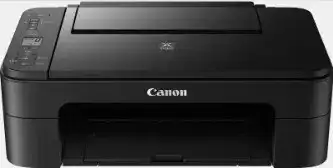
The Canon PIXMA TS307/TS307A is an affordable, compact, easy-to-use colour inkjet printer that connects wirelessly to your computer or mobile device and is well-suited for basic printing at home or in a small office environment. The wireless support allows you to print from anywhere; however, the quality of the print may not be high. Being lightweight, inexpensive, and portable, this printer is perfect for students, someone who only needs occasional prints, or someone who wants a good way to print their documents quickly and easily every day. Specifications
Max Print Resolution: 4800 x 1200 dpi
Wireless Support: Yes
Connectivity: WiFi, USB 2.0, Ethernet Support
Duplex Print: No
Print Speed Colour: 4 ipm
Print Speed Mono: 7.7 ipm
Scan Area Size: Not Available (No Scanner)
Pros
Compact and lightweight design
Wireless printing support
Good print resolution
Smartphone printing compatibility
Affordable pricing
Easy setup process
Suitable for small spaces
Cons
Single-function printer only
No scanning or copying support
No automatic duplex printing
Slow colour print speed
In-depth analysis
Print Quality: The printer delivers detailed text and vibrant colour prints with a maximum resolution of 4800 x 1200 dpi, making it suitable for assignments, photos, and basic graphics.
Wireless Connectivity: Built-in WiFi support enables users to print directly from smartphones, tablets, and laptops, offering greater convenience for wireless home setups.
Compact Design: Weighing only 2.9 kg, the printer is highly portable and fits easily into small study tables or office desks without taking up much space.
Single-Function Performance: As a print-only device, the TS307 focuses entirely on delivering reliable document and colour printing without additional scanning or copying features.
Printing Speed: The printer offers 7.7 ipm monochrome and 4 ipm colour printing speeds, making it suitable for light daily use rather than bulk printing tasks.
Ease of Use: Simple installation, wireless connectivity, and mobile printing support make the printer beginner-friendly for home users and students.
Running Costs: The cartridge-based system provides good print quality but may become expensive for users with heavy printing requirements due to frequent cartridge replacements.
4. Canon PIXMA TS207 Single Function Colour Inkjet Printer (Ink Cartridge)
Team ProductLine
Canon PIXMA TS207 Single Function Colour Inkjet Printer (Ink Cartridge)
BUY NOW
The Canon PIXMA TS207 is an economical, quality-focused, single-function compact colour inkjet printer for your basic home/small office printing needs. The PIXMA TS207 will give you high-quality print results via a simple USB connection and will perform reliably on a daily basis. The Canon PIXMA TS207 has a low weight and price; it is a good option for students or other people looking for a basic printer that will produce occasional documents and pictures. Specifications
Max Print Resolution: 4800 x 1200 dpi
Wireless Support: No
Connectivity: USB 2.0
Duplex Print: No
Print Speed Colour: 4 ipm
Print Speed Mono: 7.7 ipm
Scan Area Size: Not Available (No Scanner)
Pros
Affordable pricing
Compact and lightweight design
Good print quality
Easy USB connectivity
Simple setup process
Suitable for occasional printing
Low space requirement
Cons
No WiFi connectivity
Print-only functionality
No scanning or copying support
No automatic duplex printing
In-depth analysis
Print Quality: The printer delivers detailed text and vibrant colour prints with a resolution of 4800 x 1200 dpi, making it suitable for school assignments, forms, and occasional photo printing.
Compact Design: Weighing only 2.5 kg, the TS207 is highly portable and can fit easily into small workspaces, study desks, or home setups.
USB Connectivity: The printer uses USB 2.0 connectivity for stable and direct communication with desktops and laptops, ensuring consistent printing performance.
Single-Function Performance: As a print-only device, the TS207 focuses on delivering reliable everyday printing without additional scanning or copying features.
Printing Speed: With 7.7 ipm monochrome and 4 ipm colour printing speeds, the printer works best for light printing tasks rather than heavy office workloads.
Ease of Use: The included setup CD, simple controls, and straightforward cartridge installation make it beginner-friendly for first-time printer users.
Running Costs: The cartridge-based system provides quality prints but may increase long-term expenses for users with frequent printing requirements.
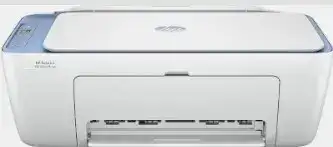
5. HP DeskJet 2820 Colour Inkjet Printer for Print/Scan/Copy, (Ink Cartridge)
Team ProductLine
HP DeskJet 2820 Colour Inkjet Printer
BUY NOW
The HP DeskJet 2820 all-in-one colour printer is a compact multi-function colour inkjet printer for use in the home or small office. It has three functions: print, scan, and copy, and it has wireless connectivity, allowing you to print from your mobile device. The printer has good print speeds, is easy to set up, and works with multiple operating systems and is a good printer for everyday documents and the basic colour printing needs of most people. Specifications
Max Print Resolution: 4800 x 1200 dpi (Colour), 1200 x 1200 dpi (Mono)
Wireless Support: Yes
Connectivity: USB 2.0, WiFi
Duplex Print: No
Print Speed Colour: 5.5 ppm
Print Speed Mono: 7.5 ppm
Scan Area Size: Not Specified
Pros
Wireless printing support
Multi-function capability
Compact and lightweight design
Good colour print quality
Easy smartphone printing
Simple setup process
Compatible with multiple operating systems
Cons
No automatic duplex printing
Borderless printing not supported
In-depth analysis
Print Quality: The printer delivers clear text and vibrant colour prints with a maximum colour resolution of 4800 x 1200 dpi, making it suitable for home documents, assignments, and basic photo printing.
Wireless Connectivity: Built-in WiFi support enables wireless printing from laptops, smartphones, and tablets through HP Smart App, Apple AirPrint, and Mopria Print Service.
Multi-Function Features: The all-in-one design combines printing, scanning, and copying into a single compact unit, helping users save both space and money.
Printing Performance: With print speeds of 7.5 ppm for monochrome and 5.5 ppm for colour, the printer handles light daily workloads efficiently for home and small office environments.
Ease of Use: The setup process is straightforward, and compatibility with Windows, macOS, Linux, and Chrome OS makes it convenient for a wide range of users.
Compact Design: Its lightweight body and compact dimensions make it easy to place on study desks or small office tables without occupying much space.
Running Costs: While the printer offers affordable initial pricing, regular cartridge replacements may increase long-term printing expenses for heavy users.
Who should buy
Students
Home users
Small office users
Users needing wireless printing
Families with everyday printing needs
Buyers looking for an affordable multifunction printer
The Canon PIXMA MG3070S is a compact, multi-functional, WiFi-enabled colour inkjet printer designed specifically for home users and small office users. Capable of printing, scanning, and copying through a wireless connection, it allows users to print from their mobile devices very easily. With great print quality, easy to set up and use wirelessly, it is a great printer for completing homework or creating documents; as well as a printer capable of printing on many different-sized papers, it will also allow you to print photos now and again. Specifications
Max Print Resolution: 4800 x 600 dpi
Wireless Support: Yes
Connectivity: WiFi, USB 2.0
Duplex Print: No
Print Speed Colour: 4 ipm
Print Speed Mono: 8 ipm
Scan Area Size: 216 x 297 mm
Pros
Wireless printing support
Multi-function capability
Compact design
Good colour print quality
Mobile printing compatibility
Easy wireless setup
Supports multiple paper sizes
Cons
No automatic duplex printing
Slow colour printing speed
Cartridge replacement costs can be high
In-depth analysis
Print Quality: The printer produces clear text and vibrant colour prints with a resolution of 4800 x 600 dpi, making it suitable for everyday documents, assignments, and casual photo printing.
Wireless Connectivity: Built-in WiFi support enables easy wireless printing from smartphones, tablets, and laptops through Canon Print Service, Google Cloud Print, and PIXMA Cloud Link.
Multi-Function Features: Printing, scanning, and copying functions are combined into one compact device, offering practical convenience for home and small office environments.
Printing Performance: The printer delivers 8 ipm monochrome and 4 ipm colour print speeds, which work well for light daily tasks but may feel slow for bulk printing.
Scanning Capability: The flatbed scanner with 600 x 1200 dpi optical resolution provides decent scanning quality for documents, certificates, and photos.
Paper Handling: Support for various paper sizes and speciality media improves flexibility for printing envelopes, photos, and standard office documents.
Ease of Use: Features like Auto Power On, Easy Wireless Setup, and mobile printing support make the printer beginner-friendly and convenient for daily use.
Running Costs: While the initial cost is affordable, regular cartridge replacements may increase long-term expenses for users with higher print volumes.
7. HP DeskJet Ink Advantage 2338 Color Inkjet Printer for Print/Scan/Copy
Team ProductLine
HP DeskJet Ink Advantage 2338 Color Inkjet Printer for
BUY NOW
This is a low-cost, multi-function, colour inkjet printer that has been designed for home use or by students. It can be used to print, scan and copy documents and has a reliable USB connection and sufficient quality of printed materials. As it has manual duplex printing capability, a small footprint and is supplied with ink consumables, the HP DeskJet Ink Advantage 2338 will serve well for everyday use when wanting to print documents or for light home office work purposes. Specifications
Max Print Resolution: Up to 4800 x 1200 optimised dpi
Wireless Support: No
Connectivity: USB
Duplex Print: Manual
Print Speed Colour: Not Specified
Print Speed Mono: Not Specified
Scan Area Size: Not Specified
Pros
Affordable pricing
Multi-function support
Compact and lightweight design
Good colour print quality
Manual duplex printing support
Easy USB setup
Includes ink accessories in the box
Cons
No WiFi connectivity
No automatic duplex printing
No automatic document feeder
In-depth analysis
Print Quality: The printer delivers sharp text and vibrant colour prints with up to 4800 x 1200 optimised dpi resolution, making it suitable for assignments, forms, and basic photo printing.
Multi-Function Capability: Printing, scanning, and copying functions are integrated into one compact unit, offering convenience for homes and small office environments.
Connectivity: USB connectivity ensures stable and direct communication with desktops and laptops, though the absence of wireless support limits mobile printing options.
Duplex Printing: Manual duplex printing helps save paper by allowing double-sided printing, although users need to flip pages manually during the process.
Compact Design: Lightweight construction and compact dimensions make the printer easy to place on small desks, study tables, or limited workspace setups.
Ease of Use: The straightforward setup process and simple controls make the printer beginner-friendly for first-time users and students.
Running Costs: While the included ink accessories add initial value, cartridge-based printing may lead to higher long-term costs for users with heavy printing needs.
Who should buy
Students
Home users
First-time printer buyers
Users with basic printing needs
Small office users with light workloads
Buyers looking for an affordable multifunction printer
8. HP DeskJet Ink Advantage 2878 WiFi Color Inkjet Printer for Print/Scan/Copy
Team ProductLine
HP DeskJet Ink Advantage 2878 WiFi Color Inkjet Printer
BUY NOW
The HP DeskJet Ink Advantage 2878 is a compact, all-in-one printer (inkjet) for home undefined this unit supports a variety of print media types for everyday document printing, task work and light colour printing. In addition, it has reasonable print quality, mobile printing capability and easy-to-use features such as a touch screen. Specifications
Max Print Resolution: 4800 x 1200 dpi (Colour), 1200 x 1200 dpi (Mono)
Wireless Support: Yes
Connectivity: USB 2.0, WiFi
Duplex Print: No
Print Speed Colour: 5.5 ppm
Print Speed Mono: 7.5 ppm
Scan Area Size: Not Specified
Pros
Wireless printing support
Multi-function capability
Compact and lightweight design
Easy smartphone printing
Good colour print quality
Simple setup process
Compatible with multiple operating systems
Cons
No automatic duplex printing
Borderless printing not supported
Moderate printing speed
In-depth analysis
Print Quality: The printer delivers sharp text and vibrant colour prints with a maximum colour resolution of 4800 x 1200 dpi, making it suitable for assignments, office documents, and occasional photo printing.
Wireless Connectivity: Built-in WiFi support allows users to print directly from smartphones, tablets, and laptops using HP Smart App, Apple AirPrint, and Mopria Print Service.
Multi-Function Features: The all-in-one design combines printing, copying, and scanning into one compact device, making it practical for homes and small office setups.
Printing Performance: With print speeds of 7.5 ppm for monochrome and 5.5 ppm for colour prints, the printer handles light to moderate daily printing efficiently.
Ease of Use: Simple controls, straightforward setup, and support for multiple operating systems make the printer beginner-friendly and easy to manage.
Compact Design: Its lightweight construction and compact dimensions allow convenient placement on desks, shelves, or study tables without taking up much space.
Running Costs: While the initial price is budget-friendly, cartridge replacements can increase long-term operating costs for users with heavy printing needs.
Who should buy
Students
Home users
Small office users
Users needing wireless printing
Families with everyday printing needs
Buyers looking for an affordable multifunction printer
9. HP DeskJet Ink Advantage 4388 Color Inkjet Printer for Print/Scan/Copy
Team ProductLine
HP DeskJet Ink Advantage 4388 Color Inkjet Printer
BUY NOW
The HP DeskJet Ink Advantage 4388 is an all-in-one colour inkjet printer that offers multifunctional capabilities. It supports various tasks such as printing, scanning, copying, and faxing. The printer also has wireless capability and an automatic document feeder, making it easy to use. The compact size and productivity-friendly features make this printer perfect for printing monthly office documents or for printing at home on a daily basis. Specifications
Max Print Resolution: Not Specified
Wireless Support: Yes
Connectivity: USB, Wireless
Duplex Print: Not Specified
Print Speed Colour: Not Specified
Print Speed Mono: Not Specified
Scan Area Size: Not Specified
Auto Document Feeder: Yes
Pros
Multi-function capability
Wireless printing support
Includes Auto Document, Feeder
Supports fax functionality
Compact design
Suitable for home and office use
Easy connectivity options
Cons
Print speed not specified
Cartridge replacement costs can be high
In-depth analysis
Multi-Function Features: The printer combines printing, scanning, copying, and faxing into one device, making it highly practical for homes and small offices with varied document handling needs.
Wireless Connectivity: Wireless support enables convenient printing from smartphones, tablets, and laptops without depending entirely on wired connections.
Auto Document Feeder: The inclusion of an automatic document feeder improves productivity by allowing multiple pages to be scanned or copied without manual page placement.
Compact Design: Despite offering several functions, the printer maintains a compact structure that fits comfortably into small office desks and home workspaces.
Ease of Use: USB and wireless connectivity options provide flexible setup choices for users with different working preferences and device ecosystems.
Everyday Productivity: The printer is suitable for handling routine office documents, assignments, forms, and occasional colour printing requirements efficiently.
Running Costs: Like most cartridge-based printers, frequent printing may lead to higher long-term ink replacement expenses for heavy users.
HP Ink Advantage 2986 Multi-function Colour Inkjet Printer (Ink Cartridge)
BUY NOW
Designed for use at home and small offices, the HP Ink Advantage 2986 is a compact, multifunctional colour inkjet printer capable of printing, scanning, and copying via either USB or wireless connections. The printer has an uncomplicated operating system, making it easy to set up and use wirelessly, which would allow for easily printing documents daily, printing school projects, and creating copies of light office workloads. Specifications
Max Print Resolution: Not Specified
Wireless Support: Yes
Connectivity: USB, Wireless
Duplex Print: Not Specified
Print Speed Colour: Not Specified
Print Speed Mono: Not Specified
Scan Area Size: Not Specified
Pros
Wireless printing support
Multi-function capability
Compact design
Easy setup process
Suitable for home use
USB and wireless connectivity
Lightweight construction
Cons
Detailed print specifications not available
No confirmed automatic duplex printing
In-depth analysis
Multi-Function Features: The printer combines printing, scanning, and copying functions into a single compact unit, making it practical for daily home and small office tasks.
Wireless Connectivity: Wireless support allows users to print conveniently from laptops, smartphones, and tablets without relying solely on USB connections.
Compact Design: Its slim and lightweight build helps save desk space, making it suitable for small study areas and compact office setups.
Ease of Use: Simple controls and flexible connectivity options make the printer beginner-friendly for users with basic printing requirements.
Everyday Printing: The printer is suitable for handling assignments, invoices, forms, and general document printing for moderate daily usage.
Home Office Suitability: The combination of scanning, copying, and wireless printing features makes it a useful option for work-from-home users and students.
Running Costs: As a cartridge-based printer, long-term ink replacement costs may become higher for users with frequent printing demands.
Who should buy
Students
Home users
Small office users
Work-from-home users
Users needing wireless printing
Buyers looking for an affordable multifunction printer
FAQs related to the affordable inkjet colour printers
1. What is the best inkjet colour printer?
Ans. The best inkjet colour printer depends on your needs. For home use, models from HP, Canon, and Epson offer good print quality, wireless connectivity, and affordable pricing. Multifunction printers with scanning and copying features are ideal for students, families, and small office users.
2. Can inkjet printers print colour?
Ans. Yes, inkjet printers are designed to print high-quality colour documents and photos. They use colour ink cartridges to create vibrant images, graphics, and text. Most modern inkjet printers support colour printing for school projects, office documents, creative work, and photo printing tasks.
3. Which is better, inkjet or laser colour printers?
Ans. Inkjet printers are better for affordable colour printing, photos, and home use, while laser colour printers are ideal for faster printing and high-volume office work. Inkjet models usually cost less initially, whereas laser printers provide lower long-term costs for frequent printing requirements.
The above content is an initiative by Times Internet content team to explain product features and simplify jargons for its users. It should not be construed as an endorsement to buy.
Times Internet may make a very small commission from its sale if one chooses to buy the product from any of the links in this article.


 Team ProductLine
 Team ProductLine
.jpg) Team ProductLine
Team ProductLine.jpg) Team ProductLine
Team ProductLine.jpg) Team ProductLine
Team ProductLine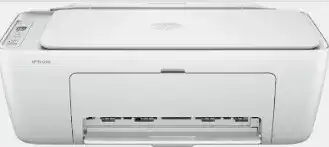 Team ProductLine
.jpg) Team ProductLine
Team ProductLine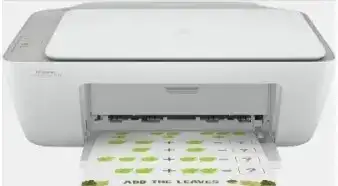 Team ProductLine
 Team ProductLine
 Team ProductLine
.jpg) Team ProductLine
Team ProductLine